Article · Updated August 2026
Privacy-friendly analytics for a small SaaS
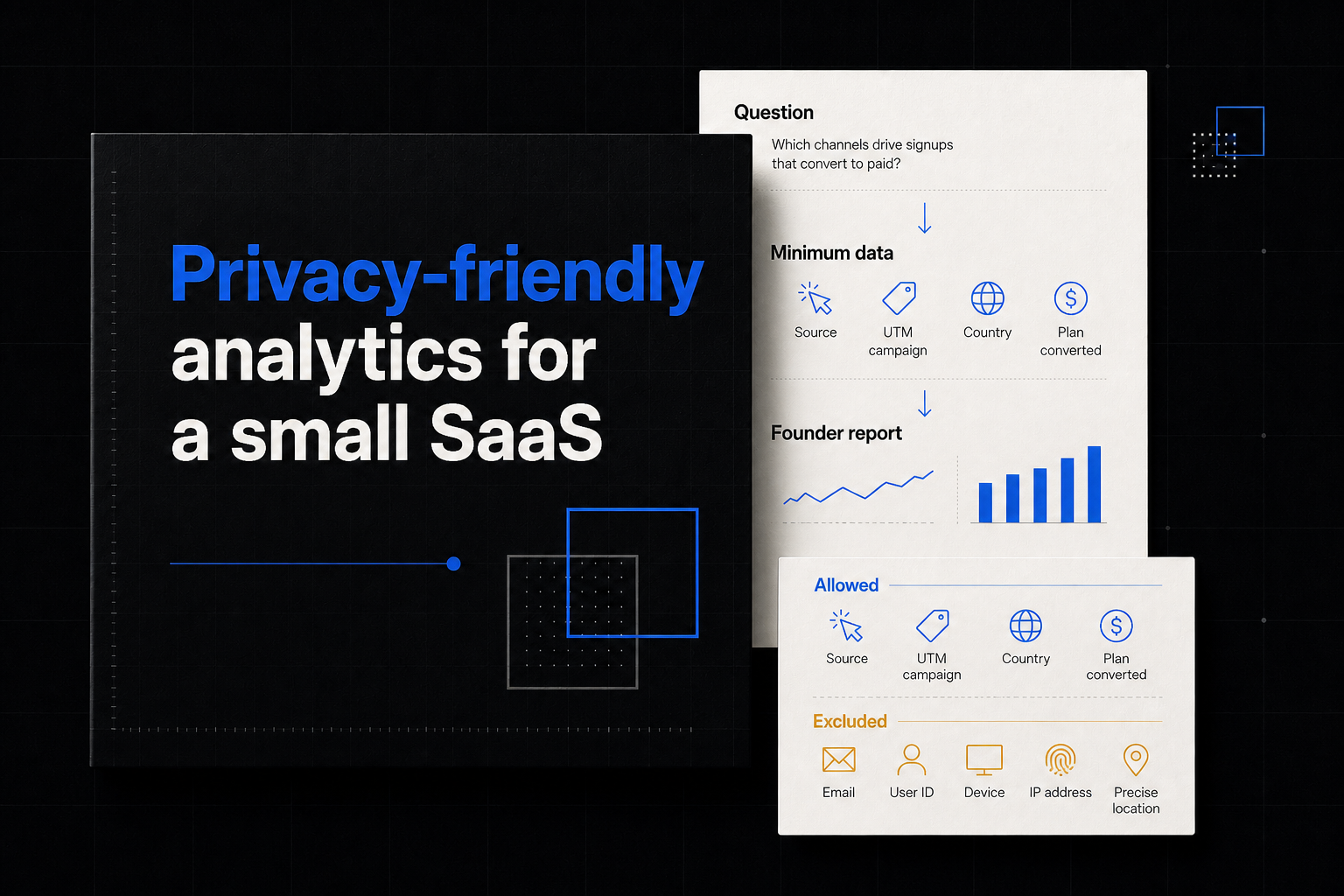
Privacy-friendly analytics is not a logo or a hosting checkbox. It is a measurement design that collects only what the business decision needs, keeps sensitive fields out of events, limits identity and retention, controls access and documents the actual data path.
Start with the questions. Then design the minimum data boundary.
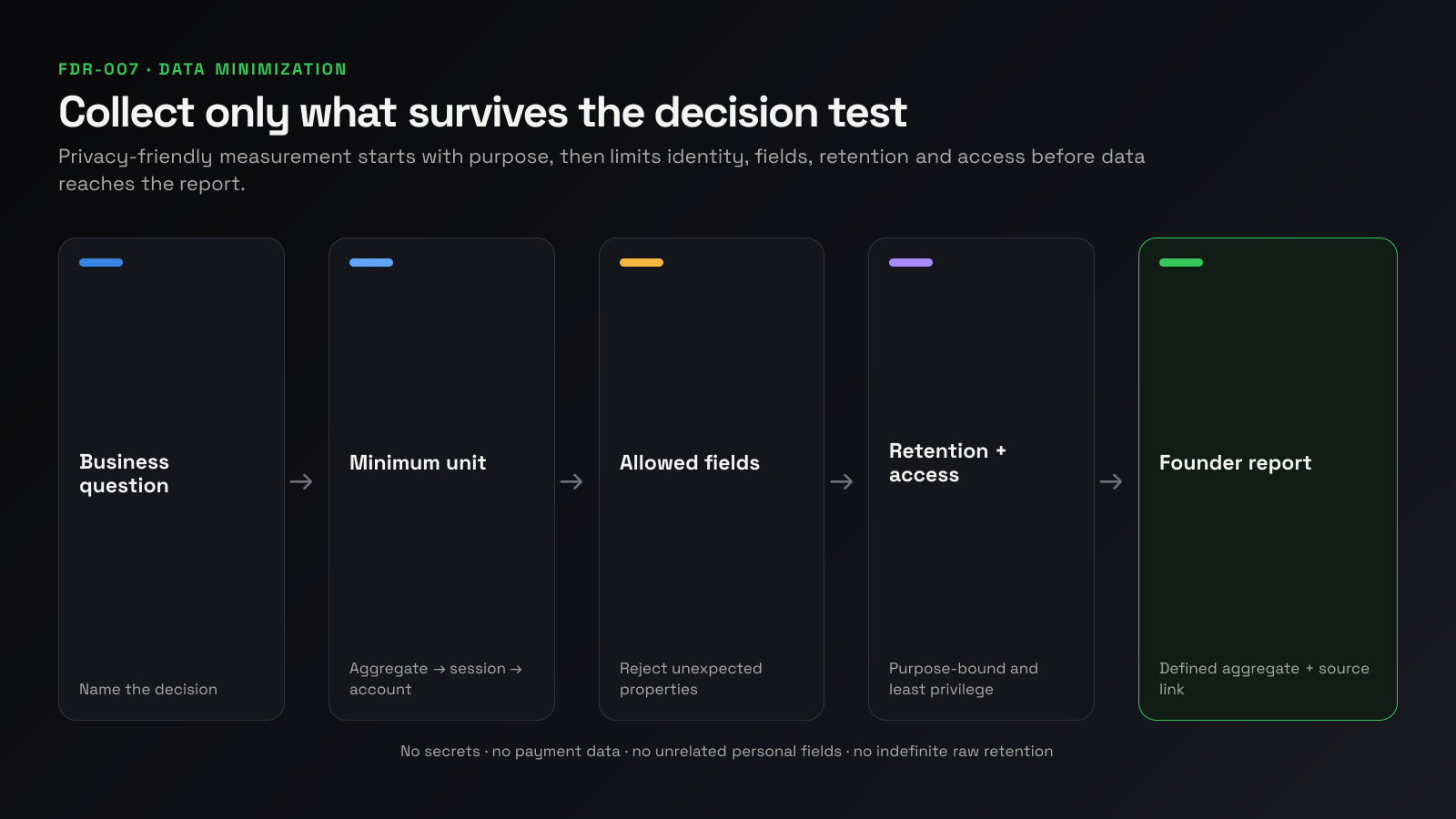
Define the decisions before the data
A small SaaS often needs to know:
- which pages or channels create qualified arrivals;
- whether eligible accounts reach first value;
- where a funnel loses accounts;
- whether paid value grows and remains;
- which product errors or workflow failures need diagnosis.
Write the recurring decision and minimum unit for each.
| Question | Minimum useful data |
|---|---|
| Which content creates qualified discovery? | Page, referrer/channel, aggregated conversion goal |
| Do accounts reach first value? | Pseudonymous/internal account ID, eligibility and named milestone timestamp |
| Where does setup fail? | Defined funnel events and error class; no form contents |
| Is recurring value retained? | Subscription/customer key, product, lifecycle state and amount |
| What explains a selected failure? | Short-lived diagnostic events or masked replay for named sessions |
Do not collect every click because it might be useful later.
Map the data flow
For every source, record:
- browser, server or provider origin;
- fields collected;
- identifier and join behavior;
- processor/subprocessor;
- storage region and transfer path;
- raw and aggregate retention;
- people/roles with access;
- exports and downstream destinations;
- deletion and data-subject workflow;
- consent or other lawful basis where applicable.
This article is an engineering and analytics framework, not legal advice. Privacy and consent requirements depend on jurisdiction, data and context; review them with appropriate counsel.
Minimize at the event boundary
Create an allowlist of event names and properties. Reject unexpected keys rather than accepting arbitrary payloads.
Safe design principles:
- use account/user keys created for analytics, not email or name;
- never send passwords, tokens, full URLs with sensitive parameters, message contents or payment data;
- map free text to controlled categories when possible;
- collect error class, not raw stack context containing user data;
- collect country/region only at necessary precision;
- separate product events from customer-support content;
- exclude internal/test environments;
- version events and owners.
Inspect page titles, URLs, referrers, search terms and custom properties. “Automatic” collection can still include personal data if the product places it in those fields.
Use an identity ladder
Choose the weakest identity that answers the question:
- aggregate page/event counts;
- anonymous short-lived session;
- pseudonymous user/device;
- internal account identifier;
- directly identified customer record.
Do not jump to level five for a page-performance question. Where cross-source revenue/product analysis needs an account join, limit it to the intended workspace, restrict access and keep direct personal fields outside the reporting layer.
Pseudonymous does not necessarily mean anonymous. If a key can be resolved elsewhere, protect it accordingly.
Compare tool categories, not privacy slogans
| Category | Strength | Privacy/ownership work |
|---|---|---|
| Aggregate web analytics | Minimal page/channel trends with limited identity | Verify collection, goals, URL handling and vendor terms |
| Configurable web/product analytics | Funnels and richer behavior | Configure cookies/identity, fields, retention and consent |
| Self-hosted analytics | Infrastructure and data-location control | You own security, updates, backups, access and configuration |
| Subscription analytics | Purchase and lifecycle facts | Understand receipt/customer identity and store/provider roles |
| Warehouse/BI | Controlled modeling and flexible access | You own ingestion, retention, governance and deletion |
| Founder-reporting layer | Small cross-source operating view | Verify source scope, permissions, exports, retention and joins |
Self-hosting changes who operates the processor and infrastructure. It does not automatically minimize collection or satisfy legal obligations.
Plausible: aggregate web analytics
Plausible’s current compliance documentation says its hosted service does not use cookies, persistent visitor identifiers or store IP addresses, and processes website visitor data in the EU. Its documentation also provides APIs, CSV export, warehouse connectors and enterprise raw exports.
Validate the exact service, configuration and current legal documents you use. Aggregate web analytics may be a good fit for content and acquisition questions, but it is not automatically an account-level product or subscription model.
Matomo: configurable control
Matomo supports cloud and self-hosted operation and provides controls for IP anonymization, user-ID pseudonymization, cookieless tracking, consent, opt-out and raw-data retention.
Its own documentation also warns that default or optional tracking can include IP address, visitor IDs, URLs, user IDs, custom dimensions, site search, ecommerce IDs, heatmaps and session recordings. Privacy depends on configuration and the product’s own page/data design.
If self-hosting, assign owners for:
- security updates and vulnerability response;
- database/backups and deletion;
- HTTPS, credentials and access;
- performance and availability;
- privacy configuration drift;
- subprocessors in the infrastructure you choose.
Product analytics without tracking everything
Use a small plan:
- account created or eligible;
- first-value milestone;
- paid state/change owned by the billing source;
- repeated-value event;
- named error/failure events needed for current diagnostics.
Instrument product analytics without tracking everything gives the complete event contract. Avoid raw DOM/autocapture as the default when a few explicit events answer the question more safely and clearly.
Treat replay as exceptional diagnostic data
Replay can capture far more context than a funnel. Use it only for a named job:
- mask or block sensitive elements by default;
- exclude authenticated/sensitive routes when possible;
- keep form values and message content out;
- sample or target the affected workflow;
- limit retention and access;
- document consent/legal basis;
- delete when the diagnostic purpose ends.
Prefer events and error classes for the operating report. Open replay only after an aggregate pattern identifies which sessions matter.
Set retention by purpose
| Data layer | Example policy question |
|---|---|
| Raw events | How long is row-level diagnosis genuinely needed? |
| Replay | Can it be deleted after the active investigation window? |
| Aggregates | Which trends require longer comparison? |
| Identity mapping | Can inactive account joins be removed or separated? |
| Financial records | What separate legal/accounting retention applies? |
Do not use one indefinite retention period for every data class. Matomo, for example, documents separate raw and aggregated retention controls.
Apply least privilege
Separate roles:
- source connection administration;
- report viewing;
- raw event access;
- replay/support access;
- billing/financial access;
- export/deletion administration.
Use individual accounts, MFA where supported, access review and audit logs. Shared public dashboard links need deliberate scope and revocation.
Credentials should be scoped and revocable. A founder-reporting connector usually needs read access to selected reporting data, not write access or full customer contents.
A practical minimum architecture
For a small web SaaS:
- aggregate web analytics for pages and campaigns;
- four explicit server/client product events using an internal account key;
- billing/subscription lifecycle from the source provider;
- an error tool with sensitive-field scrubbing;
- a weekly aggregated founder report with source links;
- replay enabled only for selected diagnostics, if needed.
The reporting layer should receive defined aggregates and controlled identifiers, not become a copy of every raw source.
Run a privacy measurement review
Before launch and quarterly:
- inventory questions, sources and event schemas;
- inspect real payload samples;
- search for personal and secret fields;
- verify cookies/storage and consent behavior;
- review data locations and subprocessors;
- test retention/deletion;
- review user roles and stale access;
- verify source scopes and credentials;
- check replays on sensitive routes;
- remove unused events and integrations;
- update the privacy notice and records where required.
Evaluate MetricsJar on the same basis
MetricsJar’s intended fit is the recurring founder view across supported sources. Before adopting any reporting product, verify current source permissions, fields processed, storage, retention, access, exports and deletion against your requirements. Do not infer a privacy guarantee beyond documented behavior.
The privacy-friendly choice can also be a manual weekly brief or source-only workflow when it answers the decision with less data.
Frequently asked questions
Is cookie-free analytics automatically compliant?
No single feature determines compliance. Consider the full data, purpose, jurisdiction, identity, processor, transparency and consent requirements.
Is self-hosting always more private?
It gives infrastructure control but also transfers security, configuration, backup, access and deletion responsibility to you.
Can we use account IDs?
When account-level analysis genuinely requires them, use scoped internal identifiers, restrict access and document the join. Keep direct personal fields out unless necessary.
Should we avoid analytics entirely?
Not necessarily. Deliberate, minimal measurement can help fix broken experiences and reduce guesswork. Collect only what supports a named decision.
What should never go into analytics events?
Secrets, credentials, payment details, message/form contents, sensitive free text and personal fields unrelated to the measurement purpose.
Sources
- Plausible security and compliance overview
- Plausible data access options
- Matomo data that may be tracked
- Matomo privacy settings
- Matomo data retention
- Founder choosing not to add tracking SDKs
- Discussion of an analytics stack without data engineering