Your product numbers, together and fresh.
Connect the analytics accounts you already use. Metricsjar keeps them refreshed and gives every project one dashboard you can trust at a glance.
Pro is $40 monthly or $400 yearly. Bring your own metered API keys.
You control every connection
Metricsjar uses only the provider access you explicitly grant.
Refreshes run for you
Scheduled jobs keep each source current while your computer is off.
Every project fits
One account for the sites and apps you run. No per-dashboard subscription.
You already have the data—it's just everywhere.
Traffic in GA4. Search performance in Search Console. Downloads in App Store Connect. Revenue in RevenueCat. Rankings in another tool, plus a few scripts nobody wants to maintain.
Metricsjar handles the scheduled refreshes and puts the finished numbers on one dashboard.
 Search ConsoleClicks + queries
 Google AnalyticsTraffic + events
 BigQueryRaw exports
 App Store ConnectInstalls + reviews
 RevenueCatRevenue + trials
 DataForSEORanks + backlinks
Connect the accounts that power this dashboard.
Show me the user journey of cat@acmenotes.com
I matched their journey across analytics, product events, and revenue.
GA4 + app events + RevenueCat
Connect each account once.
Choose the provider projects that belong to this dashboard. Data health shows what is ready and what needs attention.
Metricsjar keeps the recurring numbers ready, so you can move from acquisition to revenue without opening five tools.
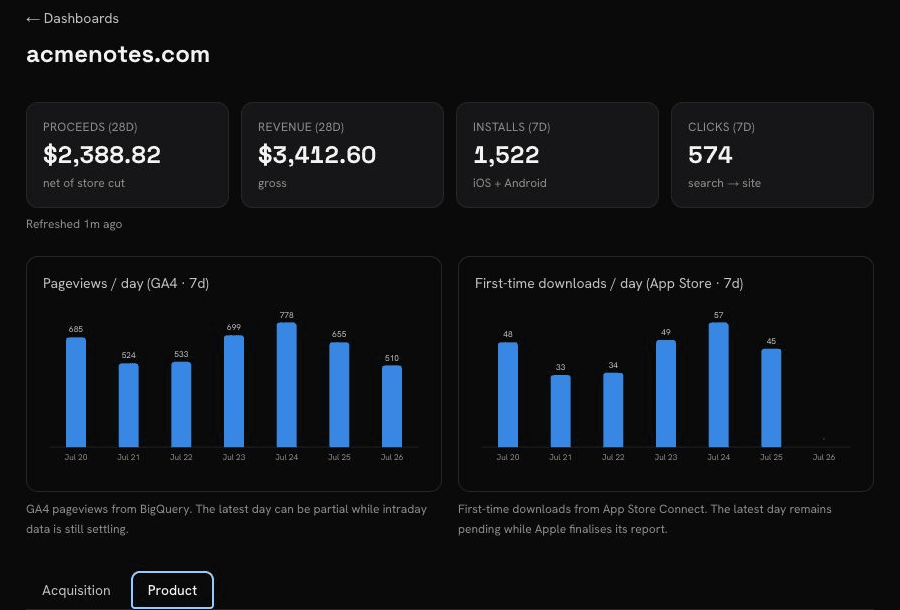
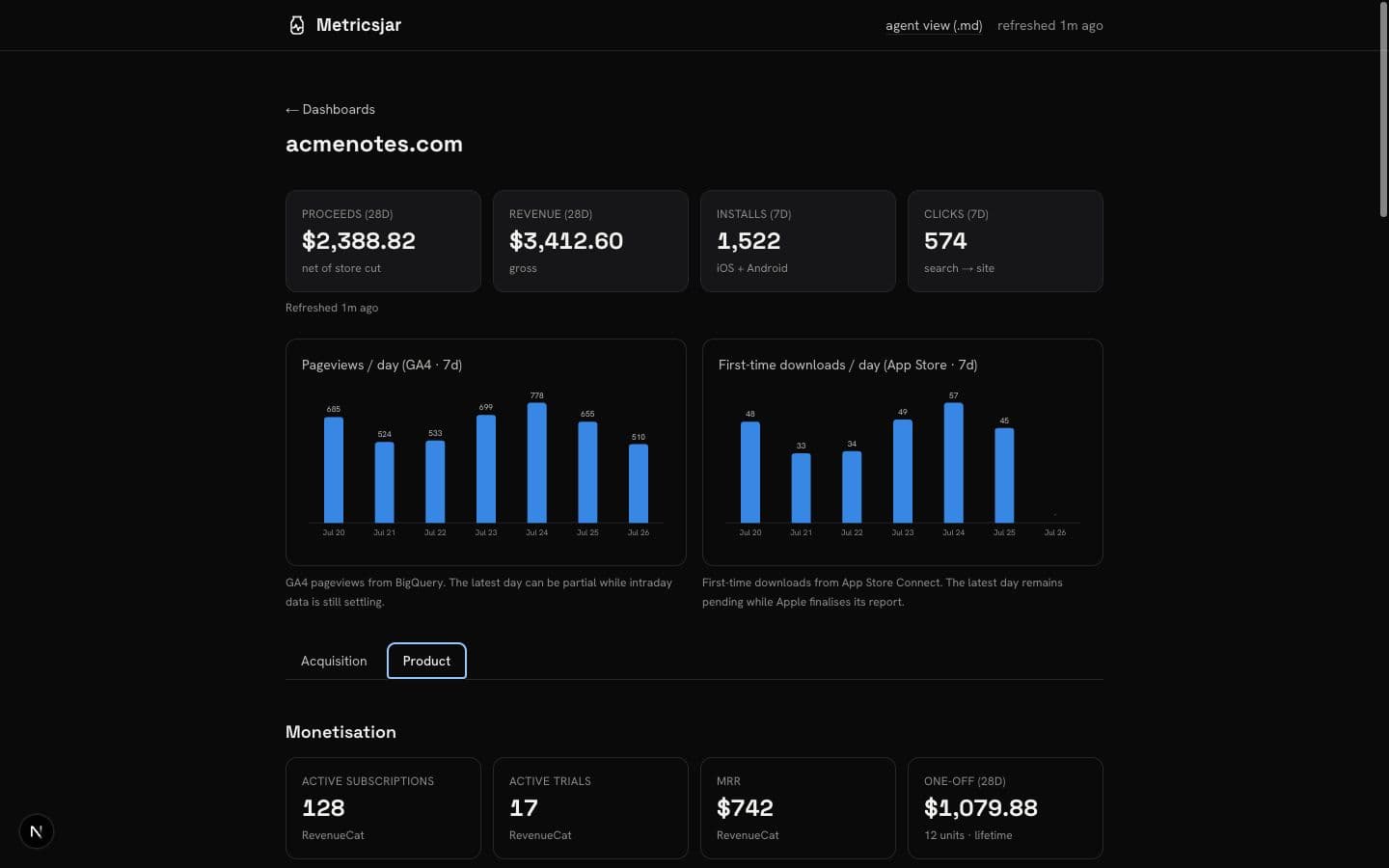
One morning glance across the whole product
Acquisition and product signals share one home, without forcing every project into the same template.
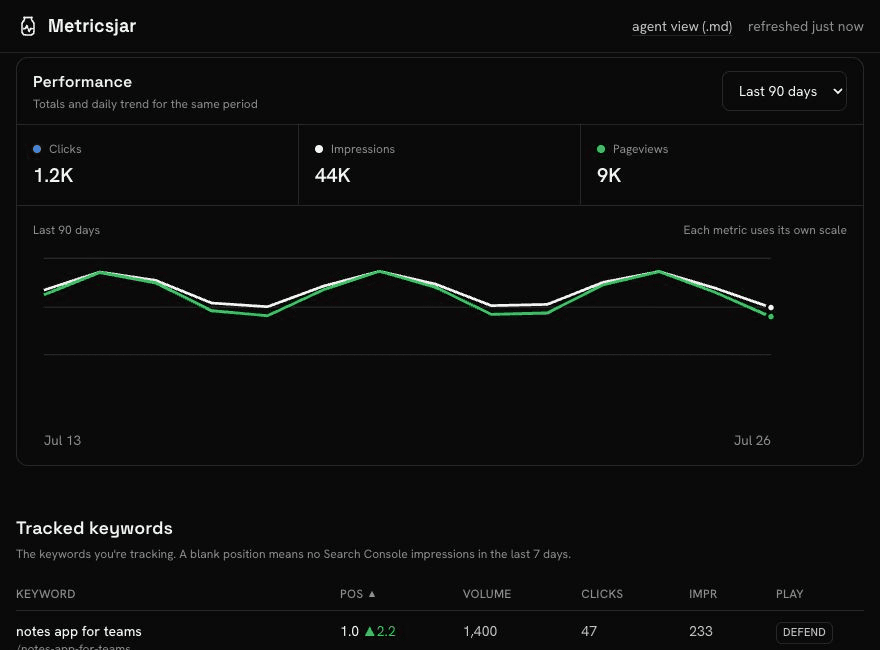
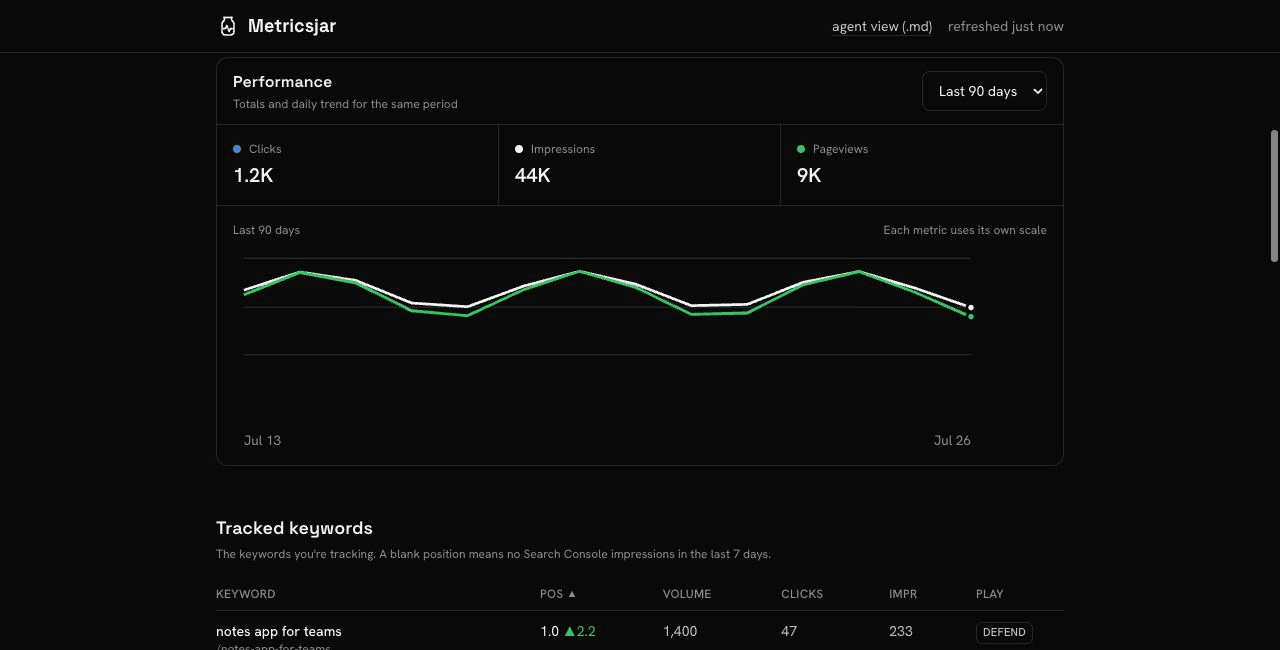
See what is bringing people in.
- Search clicks and impressions
- GA4 pageviews
- Tracked keywords
- Rankings and movers
- Pages gaining or losing traffic
- Backlinks and referring domains
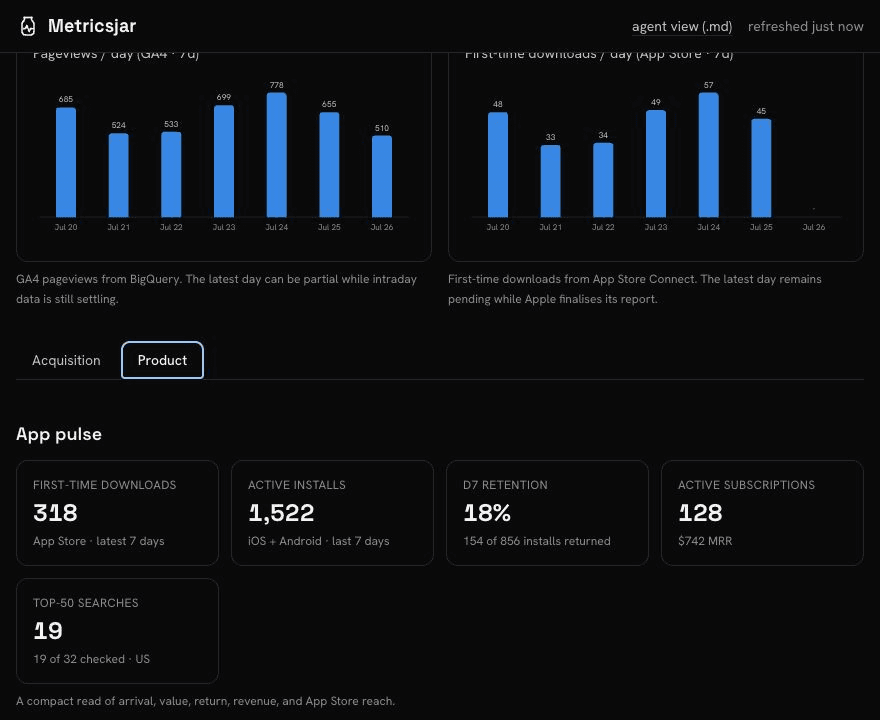
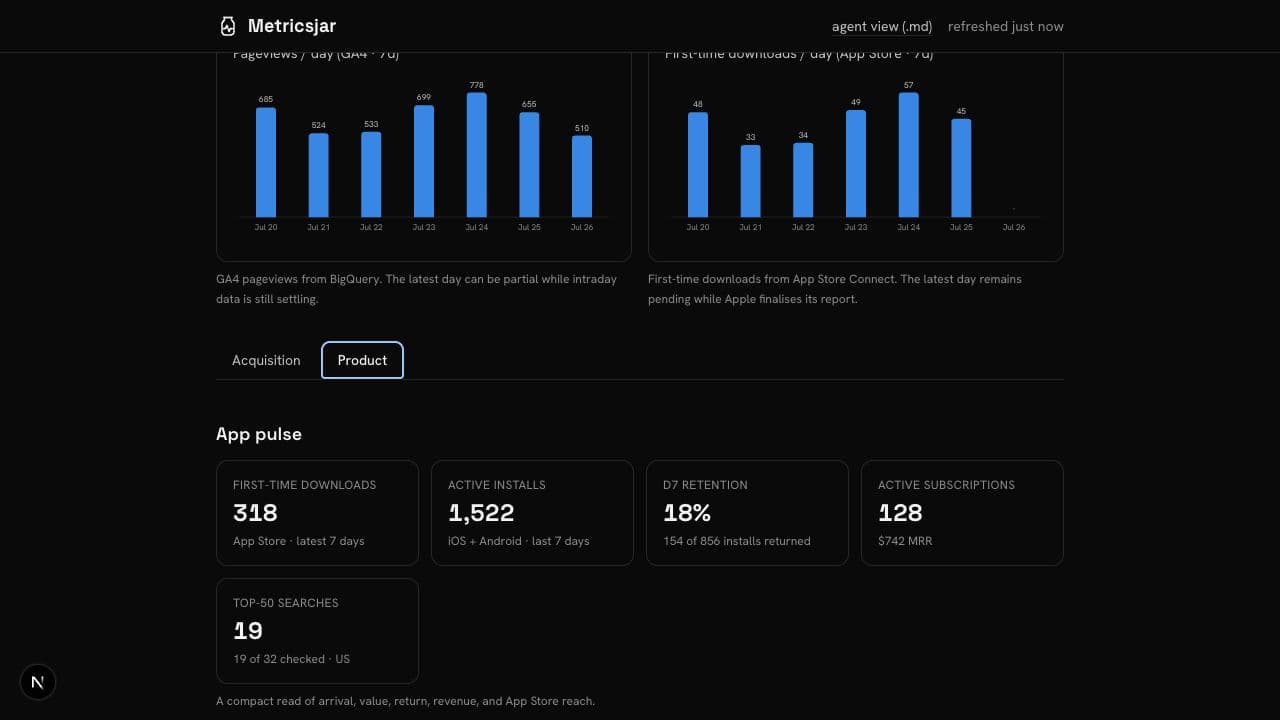
See what happens after they arrive.
- Daily downloads
- Active installs and app events
- Revenue and subscriptions
- Trials and active customers
- Retention cohorts
- Ratings and reviews
Know whether the number is trustworthy.
An empty metric, a measured zero, and a report that has not arrived yet are different things. Metricsjar keeps them different.
Your source access stays under your control
Connect each provider explicitly, keep access least-privilege, and revoke it from either side. Local refresh remains available when you prefer it.
BigQuery and paid-source usage run against accounts you control. Disconnecting a provider disables its scheduled refreshes and removes Metricsjar's access to that account.
Hosted refreshes with explicit access
The trade-off is not another connector catalogue. It is who owns the setup and maintenance work.
Setup
- Metricsjar
- Guided provider connections
- Typical SaaS
- Generic integration wizard
- DIY scripts
- You build it
Credentials
- Metricsjar
- Encrypted hosted vault
- Typical SaaS
- Stored by the vendor
- DIY scripts
- Stay local
Maintenance
- Metricsjar
- Scheduled jobs and health checks
- Typical SaaS
- Vendor-owned connector
- DIY scripts
- You maintain every script
Custom metrics
- Metricsjar
- One dashboard across sources
- Typical SaaS
- Limited to supported integrations
- DIY scripts
- Unlimited, but manual
Pricing
- Metricsjar
- $40 monthly or $400 yearly
- Typical SaaS
- Recurring per project or usage
- DIY scripts
- Free, plus your time
One plan. Choose how you pay.
One subscription covers every hosted dashboard. Metered third-party APIs run through keys you supply.
Metricsjar Pro
Unlimited hosted dashboards.
Billed as $400 per year.
- Unlimited dashboards
- No per-dashboard or refresh fees
- Bring your own API keys
Prices in USD. Taxes may apply. Cancel any time.
Before you connect a project
Do I need to run anything locally?
No. Create a dashboard in Metricsjar, then connect each provider from Data health. Nothing needs to run in a repository or terminal.
What if GA4 or Search Console is not configured yet?
Connect the sources you have today and add the rest later. Data health shows what is connected, waiting for data, or needs attention.
Does Metricsjar receive my API keys?
Only for providers you explicitly connect. Metricsjar encrypts those credentials and uses them for the scheduled jobs you enable. You can revoke provider access at any time.
Can I add my own product metrics?
Metricsjar combines the supported acquisition, product, app-store, and revenue sources in one dashboard. More provider connections can be added without changing your project code.
Does my computer need to stay on?
No. BigQuery, RevenueCat, App Store Connect, and DataForSEO refresh on Metricsjar's schedule.
What happens when a pipeline breaks?
Data health separates a missing connection, a failed refresh, a source that is still warming up, and a healthy connection. It also shows the next action for each source.
Why not query each provider when I need a number?
Repeated questions belong on a dashboard. Metricsjar keeps the numbers you check every morning ready for a glance, with their source freshness beside them.
How does Metricsjar pricing work?
Metricsjar Pro unlocks unlimited dashboards for $40 a month or $400 a year. Annual billing works out to $33.33 a month. Metered third-party services, such as DataForSEO, run through your own API keys and balance.
Connect your sources. Open your dashboard.
Start with one project. Add the accounts you use, then see every source's freshness and next action in one place.